What PSU Do You Need for the NVIDIA GeForce RTX 2070 Super?
Manufacturer specifications for MSI GeForce RTX 2070 SUPER VENTUS OC list 215W board power and a 650W system PSU recommendation. Our starting capacity class is 650W; select a CPU allowance below to see when that changes.
Board power allowance
215W
Starting PSU class
650W
Manufacturer PSU
650W
What matters for this card
MSI lists 215W, a 650W supply and one 8-pin plus one 6-pin input for the VENTUS OC. The old generic description omitted the second connection. Check the exact board before reusing an older PSU; matching total wattage alone does not establish that the required cables are present.
Estimate your system load
Estimated component load: 385W · Sizing target: 650W
Suggested capacity class: 650W · Estimated load: 59%
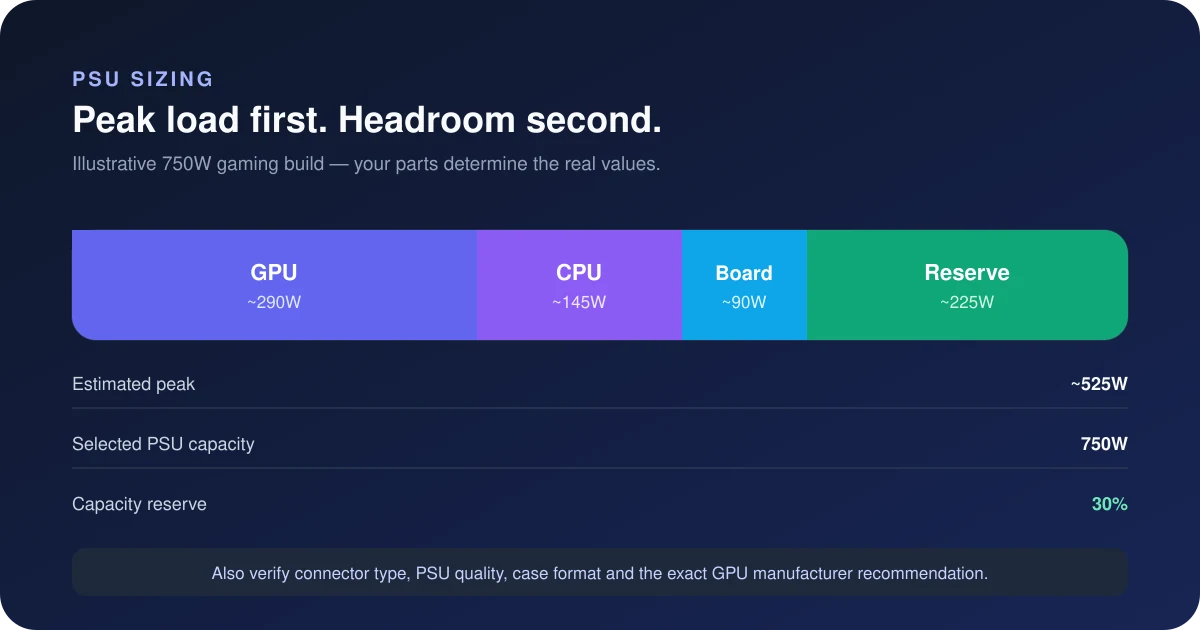
Estimate only: board-power rating + CPU allowance + 75W for supporting components. A 25% buffer is applied before rounding up, with the starting PSU class as a floor. This is not a measured peak, efficiency prediction or transient certification.
Three CPU allowances, with the arithmetic shown
| CPU input | Est. draw | PSU class | Est. load |
|---|---|---|---|
| 95W CPU allowance | 385W | 650W | 59% |
| 140W CPU allowance | 430W | 650W | 66% |
| 230W CPU allowance | 520W | 650W | 80% |
For the 95W example: 215 + 95 + 75 = 385W; multiplying by 1.25 gives 481.25W before the capacity floor and rounding. Load is component draw divided by PSU capacity: 385 ÷ 650 × 100 ≈ 59%. It is not the buffered target divided by capacity.
Can you keep your existing PSU?
An existing 650W supply needs an exact-model check, not an automatic replacement or an automatic pass. Read its continuous 12V rating, required cable count, condition and the GPU vendor’s system guidance. The estimate cannot inspect protection behaviour, cable condition or a motherboard removing CPU power limits.
Reference power connection: 1 × PCIe 8-pin plus 1 × PCIe 6-pin. Use a manufacturer-approved cable or the supplied adapter exactly as documented; never assume modular PSU cables share a pinout. Read the GPU connector guide.
Two power supply options for the NVIDIA GeForce RTX 2070 Super
Load figures assume this card using a 215W board-power allowance alongside a 140W CPU allowance and 75W for the rest of the system, giving an estimated DC component load of 430W (not a measured wall draw). Reference connection: 1 × PCIe 8-pin plus 1 × PCIe 6-pin. Confirm the exact card before choosing cables.
Balanced
Best fitCorsair CX650 (2023) 650W 80+ Bronze
650W · 80+ Bronze
The small step up from the CX550 for a build that will take a hotter CPU. Same 125 mm body, same non-modular caveat.
Check the CX650 on AmazonRoom to upgrade
Corsair RM750e (2025) 750W 80+ Gold ATX 3.1
750W · 80+ Gold
The 140 mm body clears nearly any case and the 600W 12V-2x6 cable covers a current-gen NVIDIA upgrade. One native 6+2 plus two more off the GPU cable.
Check the RM750e on AmazonThe CX650 is the starting option because it meets the page's capacity and connector filters. This is not a measured efficiency, noise or reliability ranking. Verify the exact model and its included cables. Specifications are taken from each manufacturer's product page; confirm the exact revision before ordering, as connector counts change between refreshes of the same model name. As an Amazon Associate, SpecsCalc earns from qualifying purchases.
Sources and limitations
Official specification for MSI GeForce RTX 2070 SUPER VENTUS OC. Board power and system recommendation checked September 12, 2026. These values describe the named partner card only; they do not establish a specification for every card in this GPU family.
A wattage class does not measure PSU quality or guarantee quiet operation. Efficiency, fan control and power-excursion response depend on the exact unit and operating conditions. See the worked PSU headroom guide or enter your components in the full PSU calculator.
Frequently asked questions
Is 215W the whole PC’s power consumption?
No. It is the GPU board-power allowance used on this page. The 95W CPU example totals 385W after adding 75W for the rest of the system. Wall power also includes PSU conversion losses; this calculation does not model them.
Does choosing 650W guarantee enough headroom?
No. Compare the actual CPU limit, card variant and peripherals. In our 230W CPU example, the capacity class is 650W at an estimated 80% load. Changes to power limits or hardware can change the result.
Where should I check fit and cables?
Start with the manufacturer manuals, then use the PC compatibility checker for supported parts and the SFF clearance checker for dimensions. A family-level power estimate does not verify an exact physical build.