PSU Wattage Calculator
Pick your parts and get the recommended power supply size, with an explicit sizing buffer and estimated load.
Quick Summary · TL;DR
Estimate CPU + GPU + supporting components, then apply the stated 25% sizing allowance. Compare the result with the exact GPU maker’s system recommendation. PSU model, condition and approved cables need separate checks. Efficiency certification does not establish compatibility.
How the calculation works
The estimator sums the realistic peak power of each component, then multiplies by 1.25. CPUs and GPUs dominate the total; storage, RAM, fans and peripherals add only a small fixed amount. The buffer matters because a power supply is happiest at 50-80% load and because modern graphics cards spike far above their average draw for milliseconds at a time.
| Component | Typical peak draw |
|---|---|
| Mid-range GPU | 150-260W |
| High-end GPU (RTX 5080/5090) | 360-575W |
| Gaming CPU | 76-253W |
| Board + RAM + drives + fans | ~80-120W |

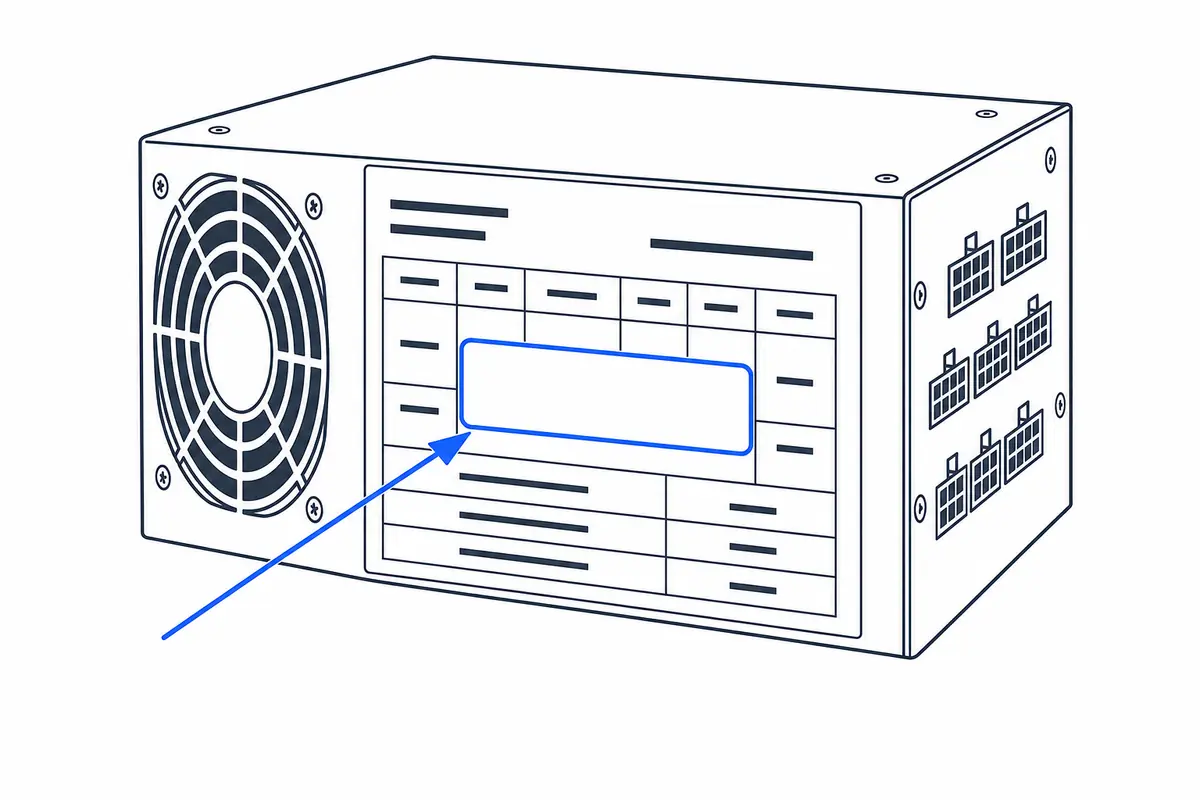
How to size a power supply
A PSU should cover sustained component draw, short GPU transients and future ageing without spending most of its life near the limit. The calculator adds headroom to an estimated system load and rounds to a commonly available wattage class.
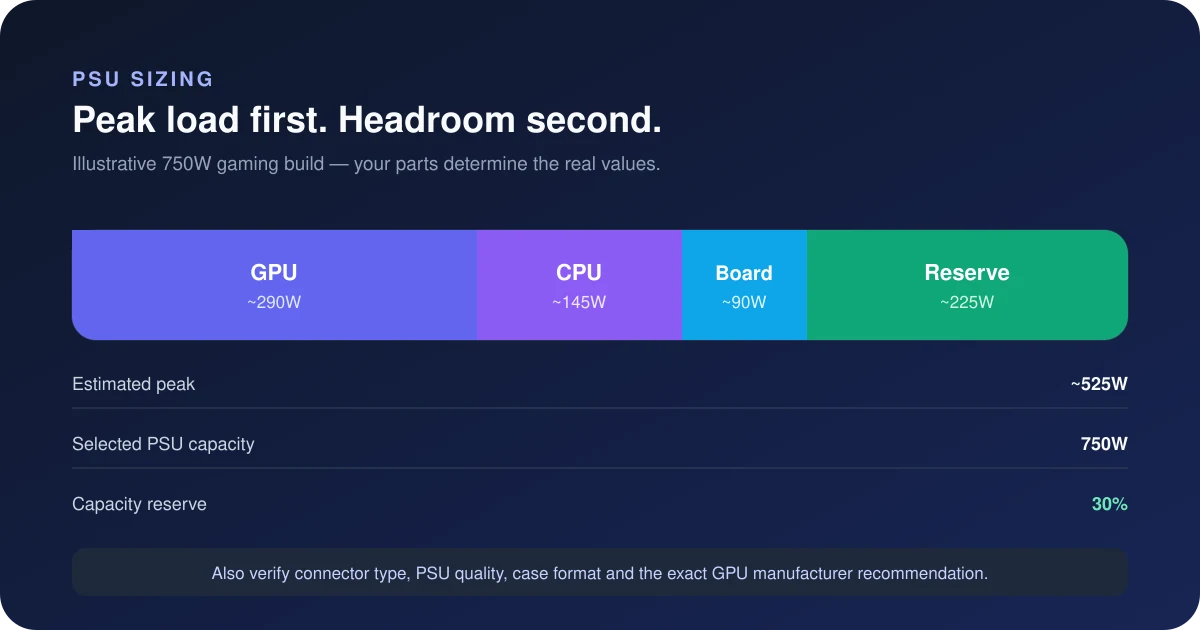
Step by step
- Choose the exact CPU and GPU class because those parts dominate peak system demand.
- Add drives, fans, pumps, USB devices and overclocking only when they are genuinely part of the build.
- Read both estimated load and recommended capacity; the difference is operating and transient headroom.
- Select a quality unit with the correct form factor and native connectors, not wattage alone.
How to read the result
The recommendation is a capacity class, not a claim that the PC will always draw that amount. Typical gaming draw is usually lower than the calculated worst case. A larger number also does not make a poor-quality unit safer.
Common mistakes to avoid
- Adding the advertised maximum of every component and then doubling it, which can oversize the PSU unnecessarily.
- Using GPU board power alone while ignoring the CPU, pump, drives, fans and transient spikes.
- Adapting multiple legacy 8-pin cables when the GPU and PSU support a native 12V-2x6 cable.
- Assuming an efficiency badge measures electrical quality, protection tuning or noise.
Verify before you buy or change settings
Check the GPU maker’s recommended capacity and connector count, then confirm the PSU manufacturer lists the required native cables. For compact builds, verify SFX, SFX-L or ATX dimensions. Never reuse modular cables from a different PSU unless the manufacturer explicitly confirms pinout compatibility.
Calculator logic and this guide were reviewed October 26, 2026. See the methodology and limitations.
Frequently asked questions
What size PSU do I need for my PC?
Add up the CPU and GPU peak power, plus about 80-120W for the rest of the system, then add a 25% buffer. This calculator does that for you and rounds up to the nearest standard PSU size.
Why add a 25% buffer instead of buying the exact wattage?
The 25% multiplier is a sizing assumption. It does not simulate power excursions, establish efficiency or predict lifespan. Check the exact PSU’s specifications and independent electrical testing alongside the card maker’s recommendation.
Do I need an ATX 3.0 or 3.1 power supply?
Not automatically. Requirements depend on the exact card, PSU and cable arrangement. For example, the RTX 5070 Founders Edition manual permits its supplied adapter with two independent dedicated PCIe 8-pin cables, or a suitable PCIe Gen 5 16-pin cable. Verify the instructions for your exact models.
Building from scratch? Start with a balanced parts list using the Auto PC Builder, or check pairing with the Bottleneck Estimator. Looking up a specific card? See what PSU each GPU needs.
Read the result before deciding to buy
Arithmetic example: 250W GPU + 140W CPU + 75W other parts = 465W estimated draw. The optional 25% sizing allowance gives 581.25W; a supplied 650W manufacturer floor raises the target to 650W. This does not prove any specific 650W PSU or cable set is suitable.
- Within the target: keep the PSU as a candidate while checking its exact model, condition, GPU requirement and manufacturer-approved cables.
- Below our sizing target only: revisit actual power limits and the stated allowance. A modelling choice is not a manufacturer prohibition.
- Below the exact-card minimum: treat that as a separate requirement. Do not use a lower estimate to overrule it.
- Cable mismatch or unknown model: resolve this first; the wattage recommendation does not approve an adapter or modular cable.
Examples with distinct requirements: RTX 5070, RTX 5070 Ti, RTX 5080.
Decision workflow reviewed 26 October 2026. Calculator choices remain estimates, not laboratory power measurements.