The Best Gaming PC for Microsoft Flight Simulator (2026)
Simulation / strategy · target: 1440p, CPU + VRAM heavy
Quick Summary · TL;DR
For Microsoft Flight Simulator, the $1500 High-End build is the sweet spot, targeting 1440p, CPU + VRAM heavy. A flagship simulation that is CPU- and VRAM-bound over dense scenery; cache and fast RAM matter as much as the GPU.
Recommended build
$1500 High-End
- CPUAMD Ryzen 5 9600X
- GPUNVIDIA GeForce RTX 5070 12GB
- RAM32GB DDR5-6000 CL30
Demand profile
Where Microsoft Flight Simulator spends its load — CPU-led; a fast processor matters most.
Can your PC run Microsoft Flight Simulator?
Pick your processor, graphics card and resolution for an instant verdict tuned to this game’s demand.
Estimate your CPU + GPU fit for Microsoft Flight Simulator
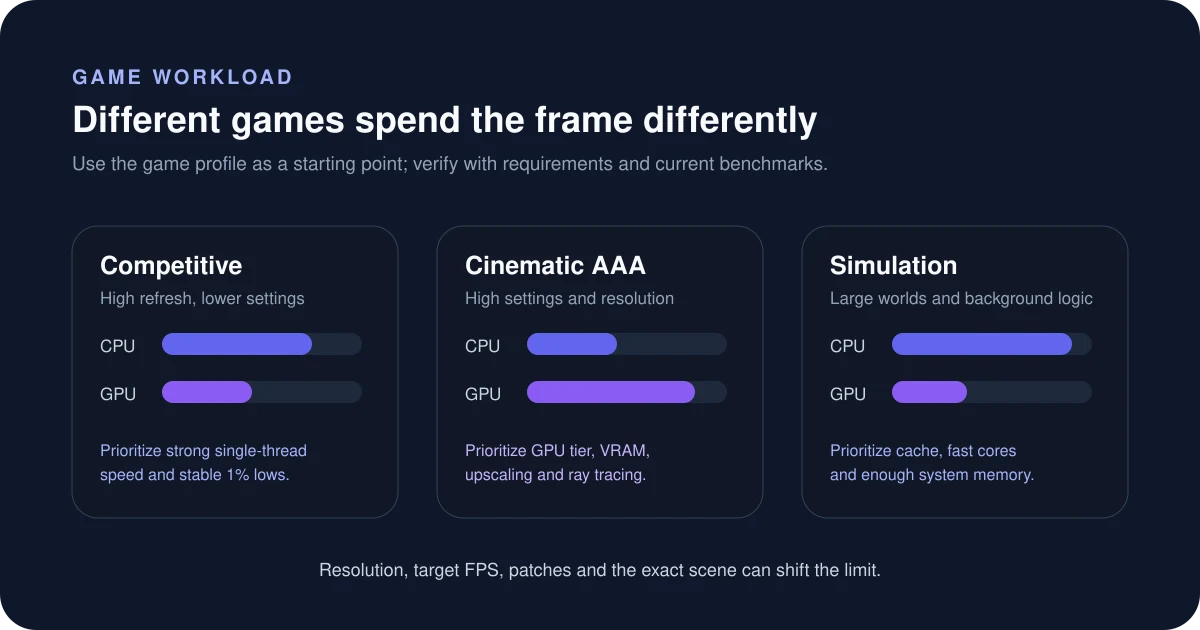
Is Microsoft Flight Simulator CPU or GPU intensive?
This is a CPU-bound simulation where complex background logic stresses the processor on a few main threads. Prioritise single-thread performance and large cache (X3D) plus fast, low-latency RAM. A flagship simulation that is CPU- and VRAM-bound over dense scenery; cache and fast RAM matter as much as the GPU. You can sanity-check any CPU/GPU pairing for this kind of workload with the Bottleneck Estimator — set the game type to simulation to see how the balance shifts.
How to read this estimate
The checker weighs both CPU and GPU against this game’s workload profile. It is a directional fit guide, not a measured FPS promise. Game patches, map complexity, ray tracing, upscaling and target refresh rate can change the result.
Sources & verification
Build recommendations are editorial starting points. Check the game publisher’s current system requirements and independent benchmarks before buying. Last reviewed July 17, 2026.
Frequently asked questions
What PC do you need to run Microsoft Flight Simulator?
A $1500-class build like our High-End (with a NVIDIA GeForce RTX 5070 12GB) is the sweet spot. It targets 1440p, CPU + VRAM heavy comfortably.
Is Microsoft Flight Simulator CPU or GPU intensive?
It is a simulation / strategy title. This is a CPU-bound simulation where complex background logic stresses the processor on a few main threads. Prioritise single-thread performance and large cache (X3D) plus fast, low-latency RAM.
What frame rate can you target in Microsoft Flight Simulator?
Aim for 1440p, CPU + VRAM heavy. A flagship simulation that is CPU- and VRAM-bound over dense scenery; cache and fast RAM matter as much as the GPU.
Different budget? Compare every tier in the Auto PC Builder, or pick by display in our build-by-resolution guide.