The Best Gaming PC for Black Myth: Wukong (2026)
AAA cinematic · target: 1440p high + upscaling
Quick Summary · TL;DR
For Black Myth: Wukong, the $1500 High-End build is the sweet spot, targeting 1440p high + upscaling. An Unreal Engine 5 showcase that is brutally GPU-bound; upscaling is effectively mandatory at high settings.
Recommended build
$1500 High-End
- CPUAMD Ryzen 5 9600X
- GPUNVIDIA GeForce RTX 5070 12GB
- RAM32GB DDR5-6000 CL30
Demand profile
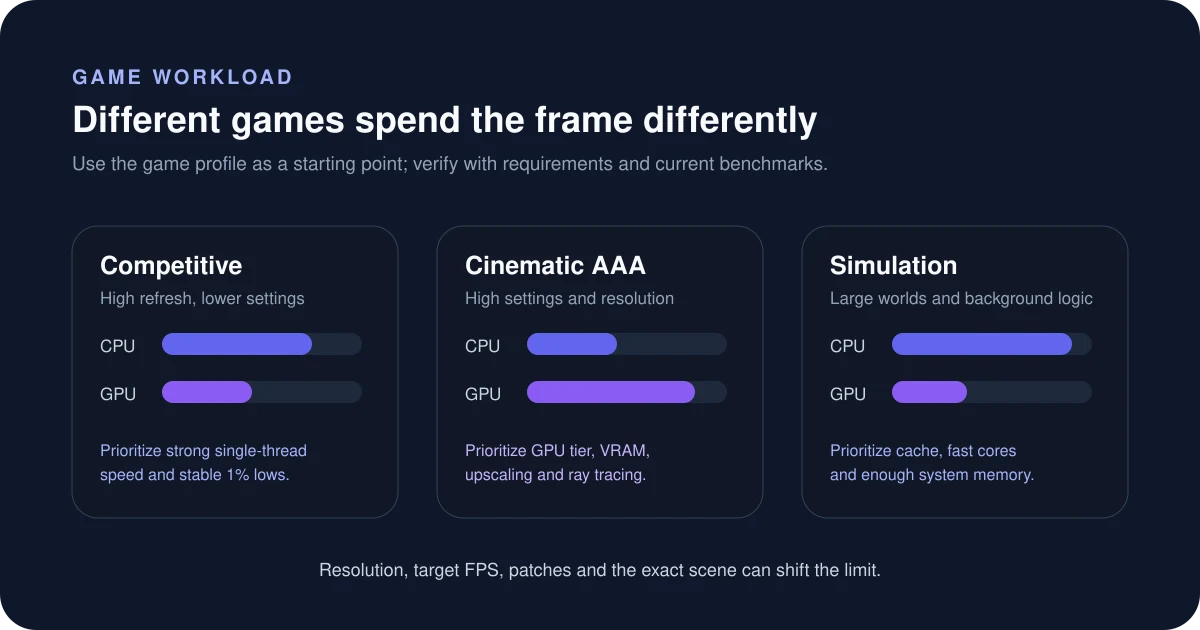
Where Black Myth: Wukong spends its load — GPU-led; the graphics card matters most.
Can your PC run Black Myth: Wukong?
Pick your processor, graphics card and resolution for an instant verdict tuned to this game’s demand.
Estimate your CPU + GPU fit for Black Myth: Wukong
Is Black Myth: Wukong CPU or GPU intensive?
This is a visually demanding title where the graphics card does the heavy lifting. Prioritise a strong GPU with enough VRAM, and lean on DLSS/FSR upscaling to hit higher frame rates at 1440p and 4K. An Unreal Engine 5 showcase that is brutally GPU-bound; upscaling is effectively mandatory at high settings. You can sanity-check any CPU/GPU pairing for this kind of workload with the Bottleneck Estimator — set the game type to AAA cinematic to see how the balance shifts.
How to read this estimate
The checker weighs both CPU and GPU against this game’s workload profile. It is a directional fit guide, not a measured FPS promise. Game patches, map complexity, ray tracing, upscaling and target refresh rate can change the result.
Sources & verification
Build recommendations are editorial starting points. Check the game publisher’s current system requirements and independent benchmarks before buying. Last reviewed July 17, 2026.
Frequently asked questions
What PC do you need to run Black Myth: Wukong?
A $1500-class build like our High-End (with a NVIDIA GeForce RTX 5070 12GB) is the sweet spot. It targets 1440p high + upscaling comfortably.
Is Black Myth: Wukong CPU or GPU intensive?
It is a AAA cinematic title. This is a visually demanding title where the graphics card does the heavy lifting. Prioritise a strong GPU with enough VRAM, and lean on DLSS/FSR upscaling to hit higher frame rates at 1440p and 4K.
What frame rate can you target in Black Myth: Wukong?
Aim for 1440p high + upscaling. An Unreal Engine 5 showcase that is brutally GPU-bound; upscaling is effectively mandatory at high settings.
Different budget? Compare every tier in the Auto PC Builder, or pick by display in our build-by-resolution guide.