RTX 5070 Ti: keep your 750W or 850W PSU?
Upgrade decision · reviewed
Is my existing PSU enough when the exact card matters?
For the named MSI card, 750W matches the published system recommendation. That is a starting requirement, not approval of every 750W supply or every 5070 Ti.
1. What the manufacturer specifies
MSI specifies 300W power consumption, a 750W recommended PSU, one 16-pin input and an ATX 3.1 PSU recommendation for this exact VENTUS 3X OC. This is not a Founders Edition profile. A different partner model must be checked against its own specification and supplied-adapter instructions.
Scope of this check: MSI GeForce RTX 5070 Ti 16G VENTUS 3X OC. The allowances you enter below are assumptions, not manufacturer-verified measurements.
2. Screen your existing PSU before shopping
No result yet. Enter your CPU allowance; a PSU wattage alone cannot approve reuse.
3. Worked examples: what changes the decision?
These are calculation scenarios, not tested PC builds. Target = the larger of component sum × 1.25 and the named card’s system requirement. The 25% multiplier is an editorial sizing allowance, not a power-excursion simulation.
| Assumed inputs | Component estimate | Sizing target | Next action, not a certification |
|---|---|---|---|
| 750W PSU / 140W CPU | 300 + 140 + 75 = 515W | max(515 × 1.25, 750) = 750W | Within the sizing target for these assumptions; exact PSU, its condition and approved 16-pin connection remain unverified. |
| 750W PSU / 230W CPU | 300 + 230 + 75 = 605W | max(605 × 1.25, 750) = 756.25W | 6.25W below the unrounded sizing target. Recheck actual limits rather than interpreting the next catalogue class as a forced purchase. |
| 850W PSU / 230W CPU | 300 + 230 + 75 = 605W | max(605 × 1.25, 750) = 756.25W | Capacity clears the target; do not replace an 850W unit merely because the example catalogue starts elsewhere. Resolve model/cable evidence first. |
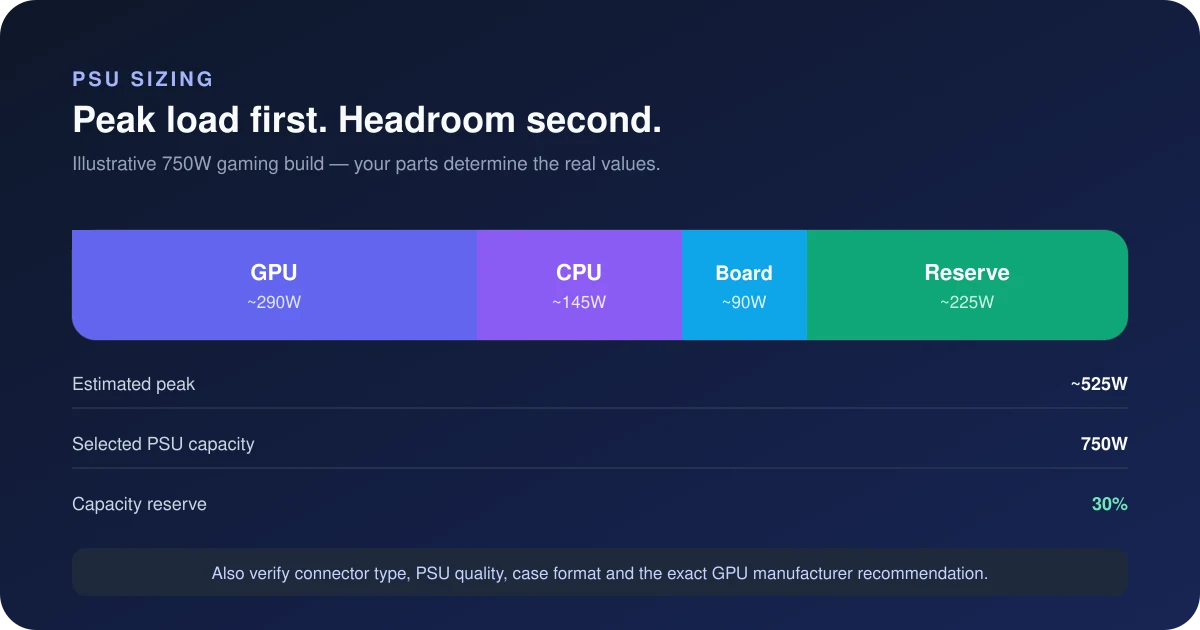
With a 140W CPU allowance, an existing 750W unit clears the arithmetic below. With a 230W allowance, our target becomes 756.25W—only 6.25W above that label. This is a threshold in an explicitly approximate sizing method, not evidence that the PC will fail at 750W. Refine the inputs before buying a new unit. A PSU change is justified by an unresolved requirement or capacity need, not by rounding alone.
For an existing 850W PSU, the remaining question may be cable approval rather than total capacity. Find the full model, year/revision and cable part number. Corsair’s table, for example, distinguishes cable families and explicitly warns against mixing Type 3/4 cables with Type 5 supplies. That example does not approve a cable for an unidentified PSU.
4. What is still unknown?
- Exact PSU revision, continuous output limits, condition and power-excursion behaviour.
- Approved PSU-side cable family/part number, required independent cable count, and card-side seating and clearance.
- Your real CPU configuration and supporting-component load. The form does not measure them.
Before buying: write down the PSU label, exact retail GPU model and cable part number. Check those documents first. If the existing equipment meets the relevant requirements, keeping it may be the appropriate outcome. If a required connection cannot be verified, pause installation and ask the PSU/card maker. Never open the PSU enclosure.
Use the workbench for a different GPU or manufacturer requirement · Check case and cable clearance separately
Evidence for this decision
- MSI exact-card specifications
- NVIDIA family reference, not a substitute for the MSI manual
- Corsair cable-family compatibility and warning
Review covers the named power/cable documents and these examples—not an inspection of your hardware. Product links later on this page are optional comparisons, not a diagnosis that you need to buy.
Manufacturer specifications for NVIDIA RTX 5070 TI reference specification list 300W board power and a 750W system PSU recommendation. Our starting capacity class is 750W; select a CPU allowance below to see when that changes.
Board power allowance
300W
Starting PSU class
750W
Manufacturer PSU
750W
What matters for this card
NVIDIA’s specification table lists 300W and 750W system guidance, based on a Ryzen 9 9950X. Its cable options are 2 PSU-side 8-pin connections through the supplied adapter, or a Gen 5 cable rated for at least 300W. Partner-card requirements can differ.
Estimate your system load
Estimated component load: 470W · Sizing target: 750W
Suggested capacity class: 750W · Estimated load: 63%
Estimate only: board-power rating + CPU allowance + 75W for supporting components. A 25% buffer is applied before rounding up, with the starting PSU class as a floor. This is not a measured peak, efficiency prediction or transient certification.
Three CPU allowances, with the arithmetic shown
| CPU input | Est. draw | PSU class | Est. load |
|---|---|---|---|
| 95W CPU allowance | 470W | 750W | 63% |
| 140W CPU allowance | 515W | 750W | 69% |
| 230W CPU allowance | 605W | 850W | 71% |
For the 95W example: 300 + 95 + 75 = 470W; multiplying by 1.25 gives 587.5W before the capacity floor and rounding. Load is component draw divided by PSU capacity: 470 ÷ 750 × 100 ≈ 63%. It is not the buffered target divided by capacity.
Can you keep your existing PSU?
An existing 750W supply needs an exact-model check, not an automatic replacement or an automatic pass. Read its continuous 12V rating, required cable count, condition and the GPU vendor’s system guidance. The estimate cannot inspect protection behaviour, cable condition or a motherboard removing CPU power limits.
Reference power connection: 2 × PCIe 8-pin through the supplied adapter, or a ≥300W PCIe Gen 5 cable. Use a manufacturer-approved cable or the supplied adapter exactly as documented; never assume modular PSU cables share a pinout. Read the GPU connector guide.
Two power supply options for the RTX-5070-TI
Load figures assume this card using a 300W board-power allowance alongside a 140W CPU allowance and 75W for the rest of the system, giving an estimated DC component load of 515W (not a measured wall draw). Reference connection: 2 × PCIe 8-pin through the supplied adapter, or a ≥300W PCIe Gen 5 cable. Confirm the exact card before choosing cables.
Balanced
Capacity candidateCorsair RM750e (2025) 750W 80+ Gold ATX 3.1
750W · 80+ Gold
Check the 140 mm body against your case. The listed 600W cable rating is not approval of every GPU or installation. One native 6+2 plus two more off the GPU cable.
Check the RM750e on AmazonRoom to upgrade
Corsair RM850x (2024) 850W 80+ Gold ATX 3.1
850W · 80+ Gold
Three native 6+2 connectors are listed for this unit. The 160 mm body and future GPU requirements need their own checks; no future upgrade tier is guaranteed.
Check the RM850x on AmazonThere is no budget pick for this card. Every entry-level supply that clears the 750W baseline would sit above 75% load with a 300W card, which exceeds this shortlist’s chosen load limit. Noise and transient behaviour are not predicted here; compare the higher-capacity options.
The RM750e is the starting option because it meets the page's capacity and connector filters. This is not a measured efficiency, noise or reliability ranking. Verify the exact model and its included cables. Specifications are taken from each manufacturer's product page; confirm the exact revision before ordering, as connector counts change between refreshes of the same model name. As an Amazon Associate, SpecsCalc earns from qualifying purchases.
Sources and limitations
Official specification for NVIDIA RTX 5070 TI reference specification. Board power and system recommendation checked September 12, 2026. These are vendor reference figures; factory power limits and connectors can differ on partner models.
A wattage class does not measure PSU quality or guarantee quiet operation. Efficiency, fan control and power-excursion response depend on the exact unit and operating conditions. See the worked PSU headroom guide or enter your components in the full PSU calculator.
Frequently asked questions
Is 300W the whole PC’s power consumption?
No. It is the GPU board-power allowance used on this page. The 95W CPU example totals 470W after adding 75W for the rest of the system. Wall power also includes PSU conversion losses; this calculation does not model them.
Does choosing 750W guarantee enough headroom?
No. Compare the actual CPU limit, card variant and peripherals. In our 230W CPU example, the capacity class is 850W at an estimated 71% load. Changes to power limits or hardware can change the result.
Where should I check fit and cables?
Start with the manufacturer manuals, then use the PC compatibility checker for supported parts and the SFF clearance checker for dimensions. A family-level power estimate does not verify an exact physical build.