The Best Gaming PC for Minecraft (2026)
Competitive / esports · target: vanilla 200+ FPS; shaders/RT need more
Quick Summary · TL;DR
For Minecraft, the $500 Entry eSports build is the sweet spot, targeting vanilla 200+ FPS; shaders/RT need more. Vanilla Minecraft is trivial, but ray tracing and shader packs are surprisingly GPU-heavy — step up a tier for those.
Recommended build
$500 Entry eSports
- CPUAMD Ryzen 5 5600
- GPUIntel Arc B580 12GB
- RAM16GB DDR4-3200 (2x8GB)
Demand profile
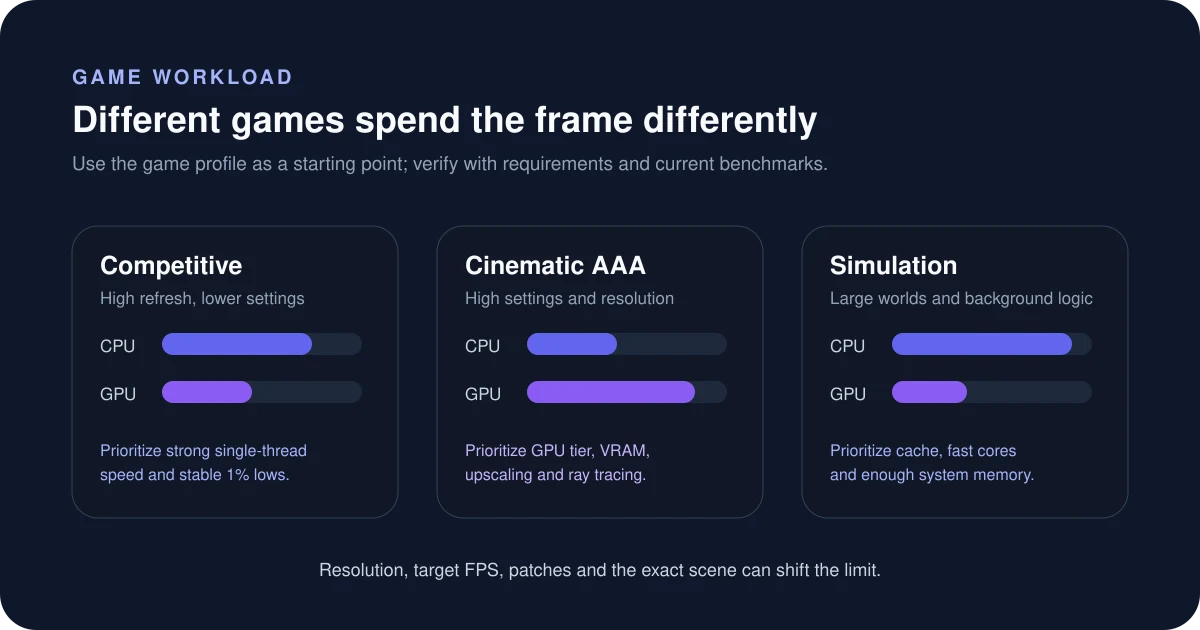
Where Minecraft spends its load — CPU-led; a fast processor matters most.
Can your PC run Minecraft?
Pick your processor, graphics card and resolution for an instant verdict tuned to this game’s demand.
Estimate your CPU + GPU fit for Minecraft
Is Minecraft CPU or GPU intensive?
This is a CPU-bound competitive title where frame rate matters more than visual fidelity. The graphics card is rarely the limit — a fast CPU and a high-refresh (144Hz+) monitor matter most. AMD X3D chips shine here thanks to their large cache. Vanilla Minecraft is trivial, but ray tracing and shader packs are surprisingly GPU-heavy — step up a tier for those. You can sanity-check any CPU/GPU pairing for this kind of workload with the Bottleneck Estimator — set the game type to competitive to see how the balance shifts.
How to read this estimate
The checker weighs both CPU and GPU against this game’s workload profile. It is a directional fit guide, not a measured FPS promise. Game patches, map complexity, ray tracing, upscaling and target refresh rate can change the result.
Sources & verification
Build recommendations are editorial starting points. Check the game publisher’s current system requirements and independent benchmarks before buying. Last reviewed July 17, 2026.
Frequently asked questions
What PC do you need to run Minecraft?
A $500-class build like our Entry eSports (with an Intel Arc B580 12GB) is the sweet spot. It targets vanilla 200+ FPS; shaders/RT need more comfortably.
Is Minecraft CPU or GPU intensive?
It is a competitive / eSports title. This is a CPU-bound competitive title where frame rate matters more than visual fidelity. The graphics card is rarely the limit — a fast CPU and a high-refresh (144Hz+) monitor matter most. AMD X3D chips shine here thanks to their large cache.
What frame rate can you target in Minecraft?
Aim for vanilla 200+ FPS; shaders/RT need more. Vanilla Minecraft is trivial, but ray tracing and shader packs are surprisingly GPU-heavy — step up a tier for those.
Different budget? Compare every tier in the Auto PC Builder, or pick by display in our build-by-resolution guide.